There are plenty of learning resources already created. Feel free to download and use them for free.
About Memostation
Installer already contains 5 learning resources.
Size: 56 MB
Get your Memostation free
Learning resources ready to download
Try new feature - “Fast test”
Create a learning resource and share it with others and get free Memostation.
Try our new feature “fast test” which is what it`s called: fast.
-
Learning planning
-
Large amount of resources
Combines traditional flash card method with the newest development in studies of human memories.
More than 200 learning resources from different subjects. All are free for download and use. Or you can create your own resources.
-
Study organization
There is no need to search for books and sheets. Memostation spares your time by effective planning.
history
future
today
you repeated that item today and will repeat it again in 10 days
you learned new item 3 days ago
How planned learning works?
Memostation is planning repetitions of items. Item is for example a word from foreign language.
The program remembers how well you know each item and calculates when you will forget an item, before this happens Memostation will remind you.
each bar represents 1 day
Green color represents new items
Blue color represents items which are already known to you
height represents amount of items in given day
The program will allow you to manage daily workload, this means, that you can specify number of items to repeat, in addition to new items.
Learning resources
Item is marked (you are learning it)
Item is not marked (you are not learning it)
Learning resources are stored and categorized within the program in form of collections.
You may create your own collection or use already created collections.
The collection contains items that relate to its subject. For example the “spanish wordlist” contains items where spanish words are translated to any selected language.
You probably don`t want to learn every item in the collection at once. You can select the items you want to learn.
By choosing the items you want to learn, you are assured absolute control on your learning.
You may select items from more than one collection, for example enabling you to learn spanish and economy simultaneously.
today
yesterday
tomorrow
As you progress with time, you will acquire a large number of items. The length of repetition will increase for older items you have already learned. Thus you don`t need to keep repeating items that you already know.
list of items in learning resources
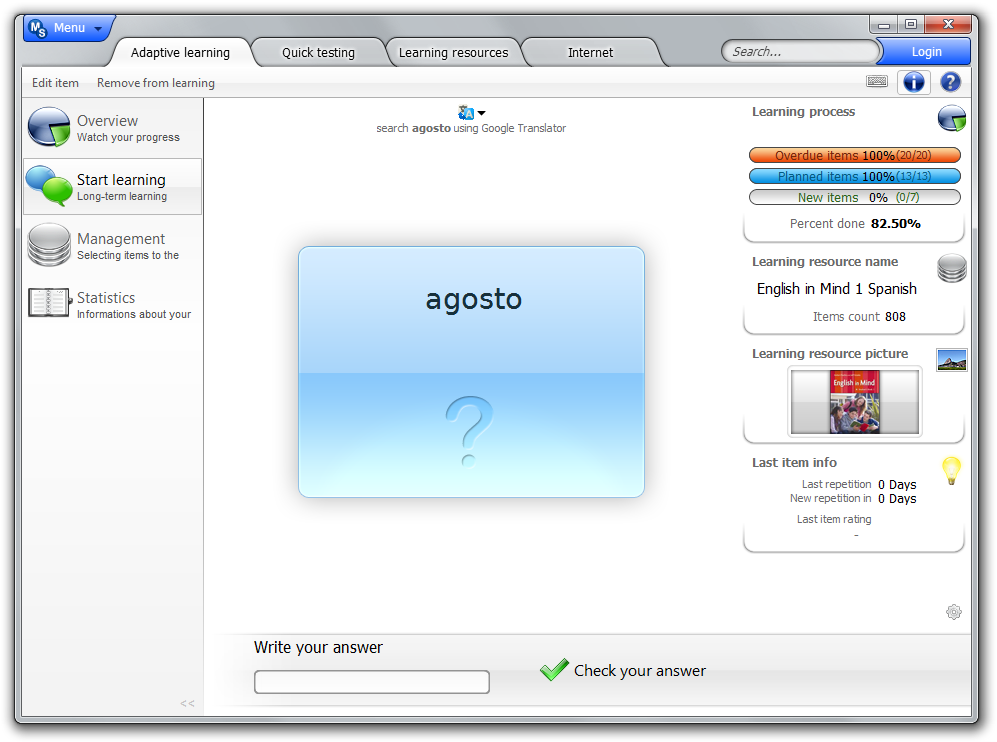
What does learning look like?
The program will ask you a series of questions to which you will answer. The program uses your answer to assess your knowledge.
There are two ways of assessment:
Question
Answer
Grading
-
•Using the keyboard
The sophisticated fuzzy algorithm can determine the quality of your answer and propose your grade (which you may alter).
-
•Using your mind
In this method, you answer the question and then click to reveal the correct answer. You then grade yourself (this is the fastest way of learning provided you don`t cheat!)
Items may contain formatted text and images. Certain assessments may contain questions that have more than one correct answer.
Program will give you questions, which you will answer. According to your answer program determine how good your knowledge is.
There are two types of answering:
Number of learning resources is increasing, thanks to you all!